
Build authority that compounds
Topical maps, AI writing with review, publishing and internal linking for every client.
- Done-for-you topical maps
- AI articles with a review queue
- Staged publishing and scheduling
- Internal links staged for review
For SEO and digital marketing agencies
Build topical authority for search and AI answers, then publish, audit, track and report for every client. Monthly reports go out on their own, and every change waits for your review.
No card needed for the trial. Every feature included.
+112%
Organic clicks
Plumbing company, Perth · six months
14 → 58
Keywords in the top 10
Accounting firm, Adelaide · five months
3.1×
Monthly enquiries from organic
Physiotherapy clinic, Gold Coast · six months
How it works
Five stages, one workspace. Each short, silent video walks through the real product screens for one stage.
Add the client’s website, choose the Google country for its rankings, and get one dashboard and a setup checklist for that client.
Explore the platformCrawl the site for technical problems, read each issue with its fix, compare two crawls and export the audit for the client.
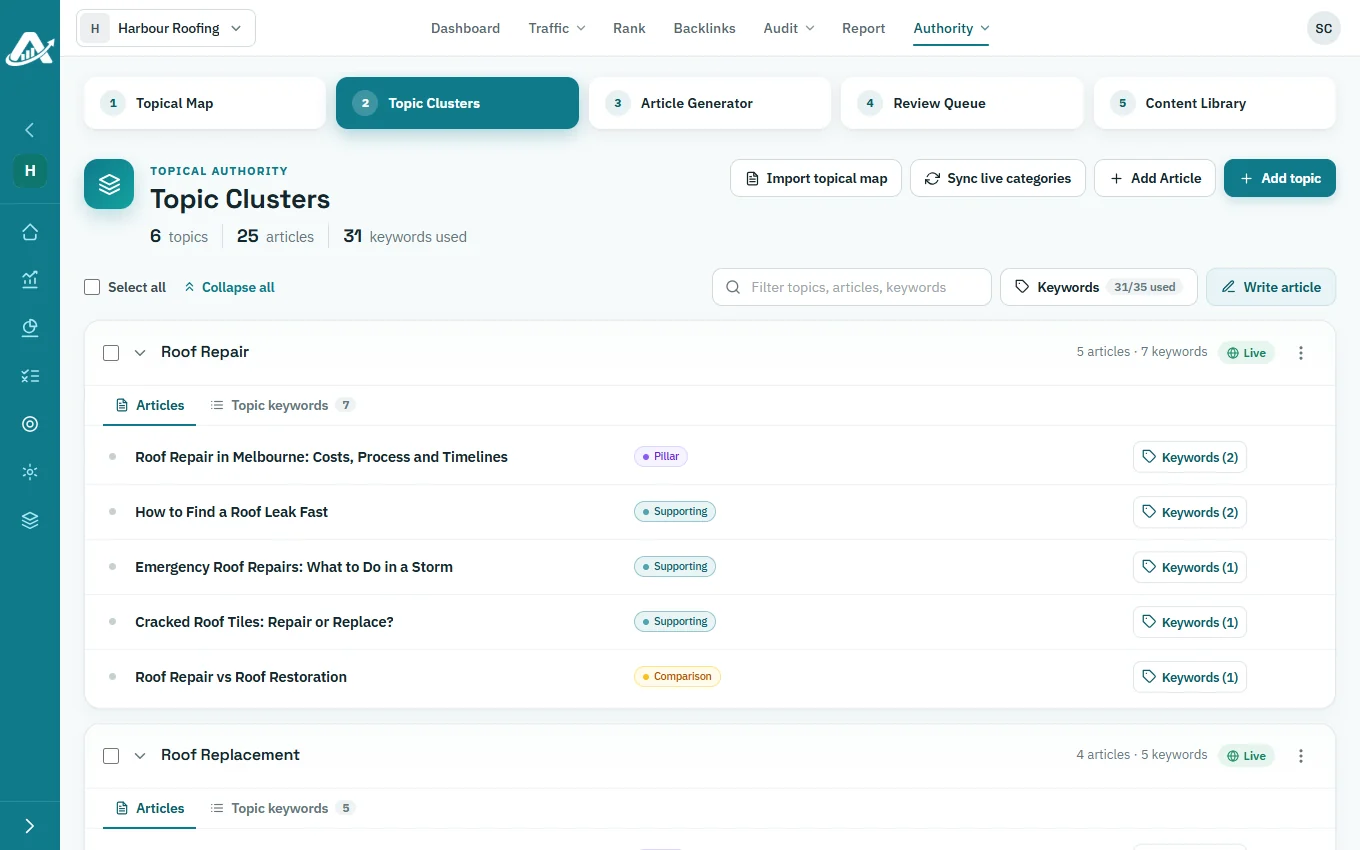
See site auditsAsk our team for a topical map, then turn it into topics, articles and target keywords in Topic Clusters.
See topical mapsWrite articles with the AI model you choose, approve them in the Review Queue, and publish or schedule them with every change staged first.
See topical authorityBuild a report from a template, adjust each widget for the client, and email the PDF every month.
See tracking and reportingThe engine starts from how topical authority actually works: coverage, structure and internal linking are designed before a single article is written. AI then does the heavy lifting inside that plan, with checkpoints at every stage.
Topical maps, clusters and internal links are planned from the principles of topical authority, for search and AI answers. AI writes inside that structure. It does not decide it.
Content is planned to cover a subject completely and connect together, rather than being published in bulk to fill pages.
Articles go through a review queue, and edits are staged with a diff before anything reaches a client’s site.
Replace a stack of separate tools with one platform, priced per client.
Topical maps, AI writing with review, publishing and internal linking for every client.
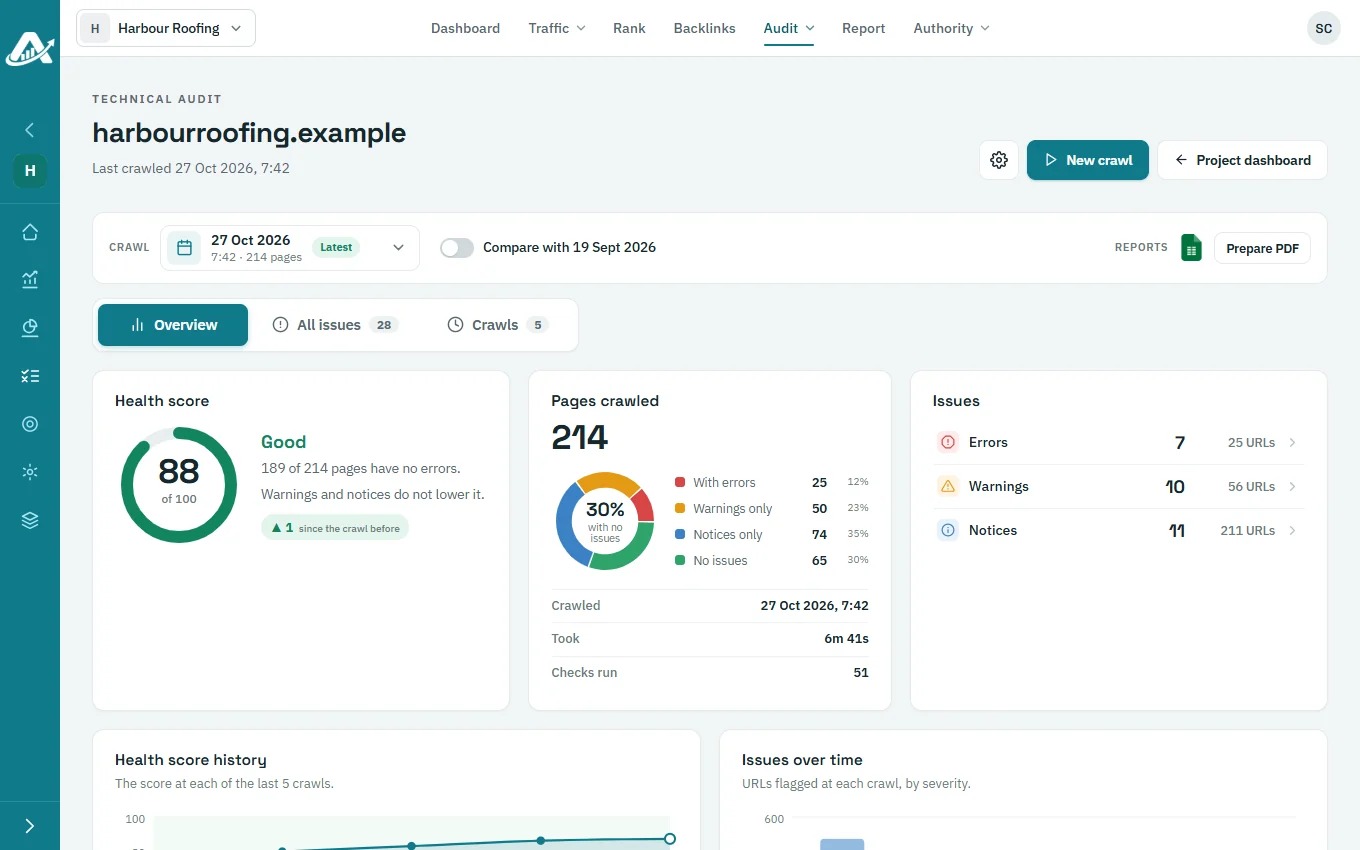
A technical crawler and a Search Console audit that explain every fix.
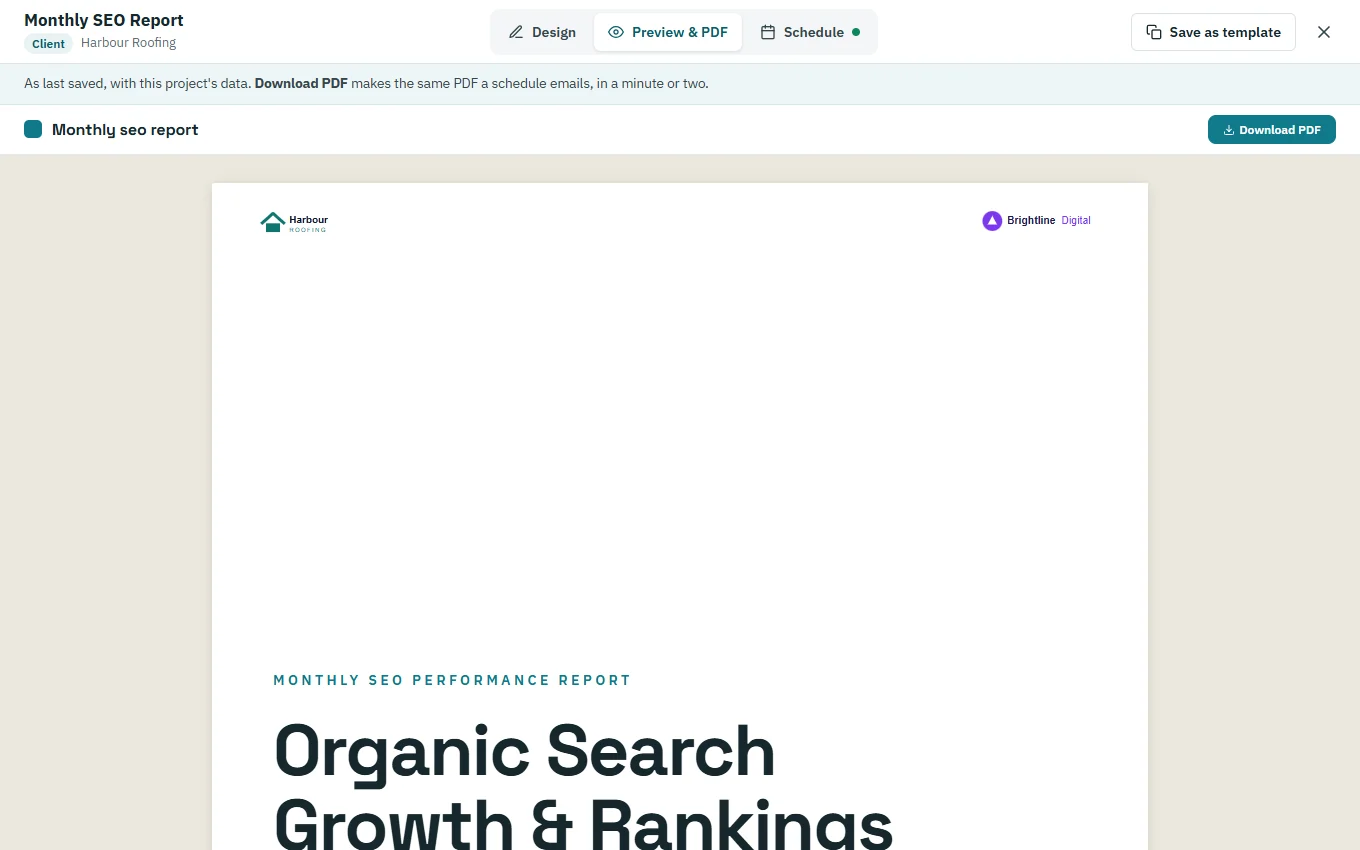
Rankings, backlinks and traffic in one place, with reports sent under your logo.
From the first audit to the monthly report. Results from one project help win the next.
Audit a prospect’s site and send a branded PDF to start the conversation.
Add the site, set the country and connect analytics and your CMS once.
Crawl, read each issue with its fix, and compare crawls to prove the work.
Turn the topical map into topics, articles and target keywords.
Write, review, publish and interlink, with every change staged first.
Keyword rankings, backlinks and GA4 dashboards for every client.
Reports with your logo, emailed to each client every month.
One continuous loop
Each stage hands its work to the next, in one workspace.
Audit a prospect’s site and send a branded PDF to start the conversation.
Add the site, set the country and connect analytics and your CMS once.
Crawl, read each issue with its fix, and compare crawls to prove the work.
Turn the topical map into topics, articles and target keywords.
Write, review, publish and interlink, with every change staged first.
Keyword rankings, backlinks and GA4 dashboards for every client.
Reports with your logo, emailed to each client every month.
Each stage hands its work to the next, in one workspace.
Every client gets every feature. There are no tiers to compare, and nothing renews without you.
Topical authority, audits, tracking and reporting are all included. Nothing sits behind a higher tier.
Monthly or yearly, in advance. Add or remove clients as your agency changes.
Work beyond each client’s allowance, such as AI writing, is paid from a single balance at published rates.
Nothing renews without you, and rates are published, so there are no hidden fees.
Connect once per client. Google access is read-only, and changes are staged for your approval before anything is published.
Short answers to the most common questions.
Marketing agencies that plan, write and look after content and technical SEO for client websites. Businesses that manage their own website can use it too.
It starts from the theory of topical authority. Topical maps, clusters and internal links are planned first, AI writes inside that structure, and articles go through a review queue, with edits staged before anything reaches a client’s site. It is built for depth and structure, not bulk output.
WordPress. You connect a client’s site by approving AgencyInsightLab in WordPress or by entering an application password.
No. Clients receive their report as a PDF by email each month, so there are no extra logins to manage.
Yes. Reports and audit PDFs carry your logo, and monthly reports can be scheduled to email to your clients automatically.
Yes. Audit a prospect’s site and send them the branded PDF. The findings give you a clear starting point for a proposal, and a signed project moves straight into onboarding.
Per client, with every feature included. You pay monthly or yearly in advance, and credits cover work beyond each client’s allowance. The pricing page shows the current prices.
Your workspace becomes read-only until you choose a plan. Nothing is deleted, and your data stays visible.
Add a client’s website, run a technical audit and plan their topics. The trial includes every feature.
No card needed for the trial.